Overview
The National Heavy Vehicle Regulator (NHVR) is Australia’s independent regulator for all vehicles over 4.5 tonnes mass. The NHVR is the first contact point for most of your heavy vehicle operators.
NHVR Go is the digital platform for heavy vehicle operators to interact with the regulator and has 3 main user types:
- Customer: Heavy vehicle operators use the portal to apply for and maintain the accreditation, apply for access permits, maintain compliance standards.
- Service Providers: Provide services for the heavy vehicle industry like auditing which is a mandatory requirement in maintaining accreditation.
- Regulator: Administrators that process the various applications performed by customers and service providers.
What I Did
- As a Senior UX/UI Designer I led the end-to-end design of onboarding solution.
- User research: I planned and conducted research with customers and business stakeholders.
- Workshop facilitation with technical team and business stakeholders to gather requirements and validate designs.
- Stakeholder management: I engaged with a variety of stakeholders in the business such as executive, service providers and the accreditation team
- Created design artefacts: User-flows, wireframes, prototypes, production ready UI design.
- Collaborated on a cross-functional agile team (Product owner, technical lead, business analyst, developers & QA).
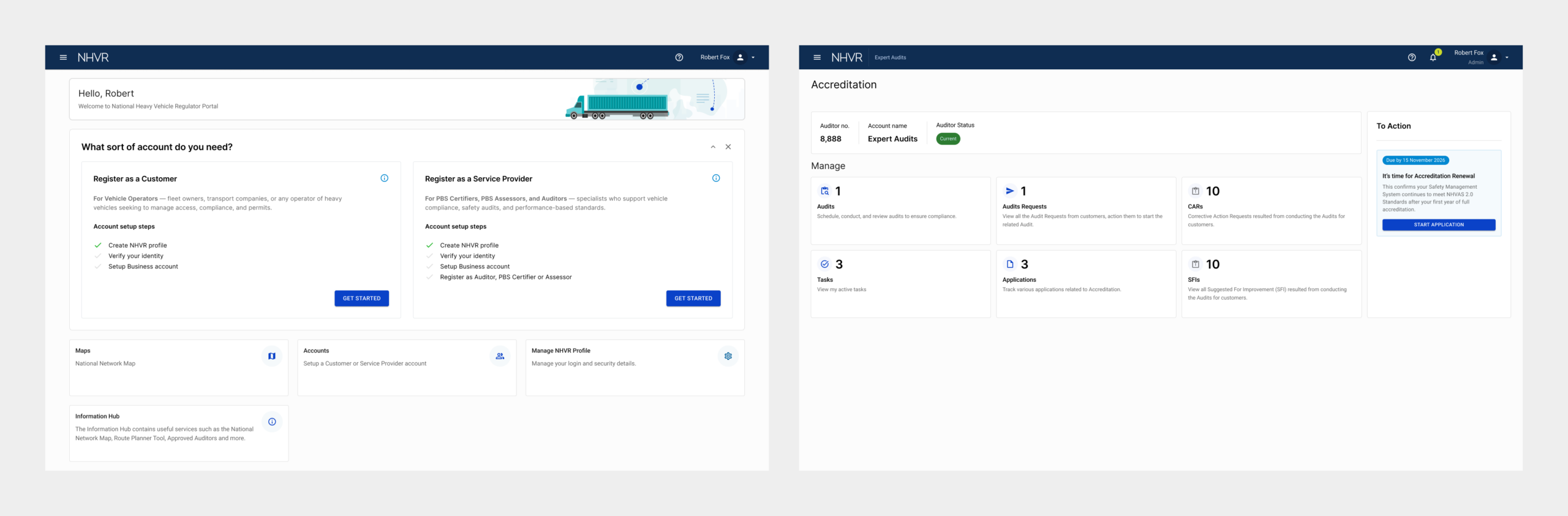
The Problem
The current service provider onboarding was done manually by the NHVR administrators that were already experiencing a heavy workload, a self-service solution was needed to reduce the onboarding time from weeks to hours and give the time back to the customer service teams.
My focus was to create onboarding flow for service providers (auditors) which has complex regulatory requirements and create a simple intuitive flow, this included:
- NHVR Go Account creation
- Auditor registration application flow
- Auditor dashboard & account management
Discovery
During the discovery phase I reviewed the legacy workflows, conducted stakeholder requirements gathering workshops, reviewed user feedback and used the Jobs-to-be-Done method to get a deeper understanding of pain points for both customers and the regulator administrators.
Design Process
My approach
- Review existing user feedback and conduct research
- Stakeholder engagement and requirements gathering
- Map the end-to-end journey
- Wireframe all the required screen in low fidelity
- Test the flow with stakeholders and cross-functional team, refine and re-test
- Create final UI designs
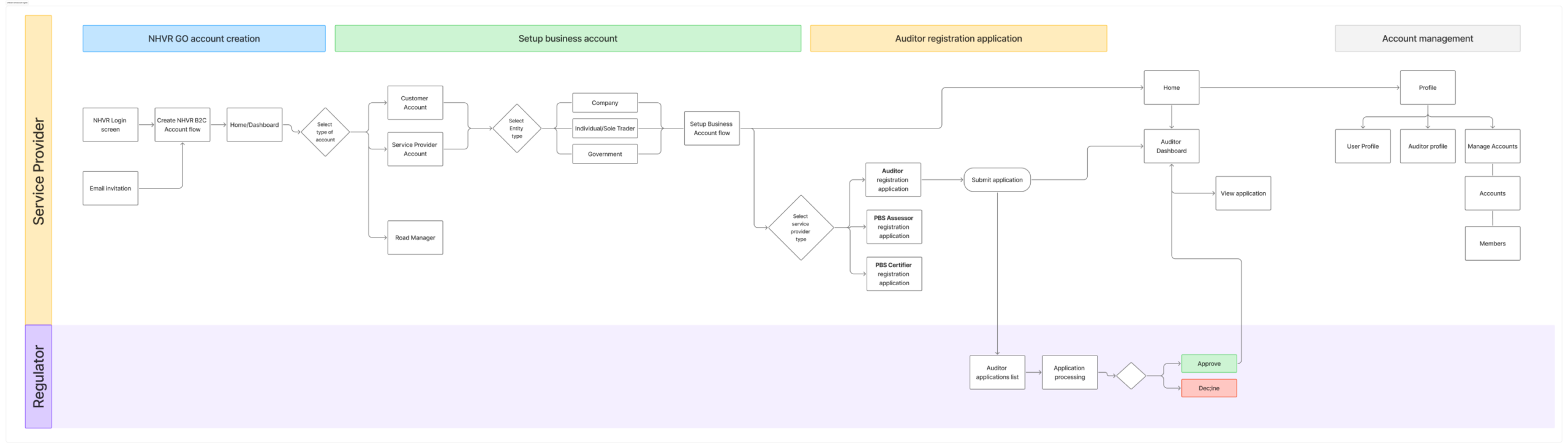
User flow mapping
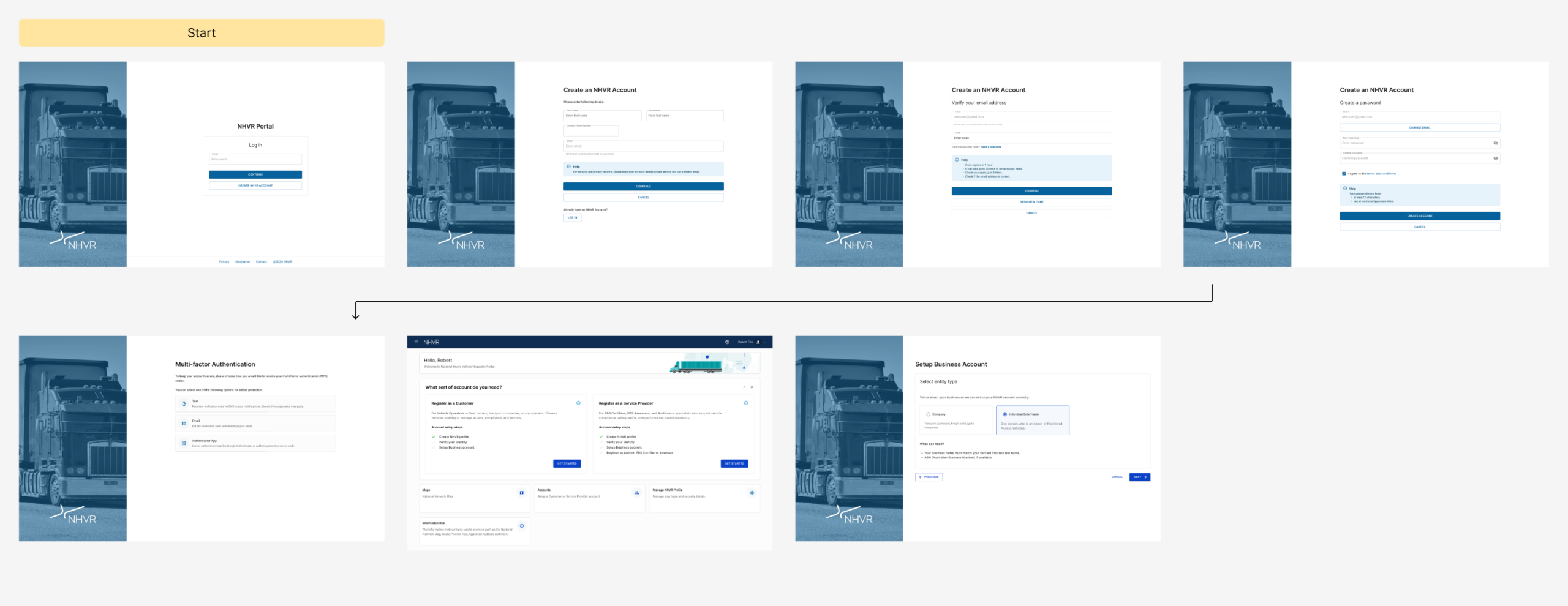
The onboarding was complex and required 3 main steps before a service provider could begin providing services as an auditor, this included:
- Create an NHVR Go Account
- Setup a Business Account
- Auditor Registration Application
Personas
The complete onboarding involved 2 different personas:
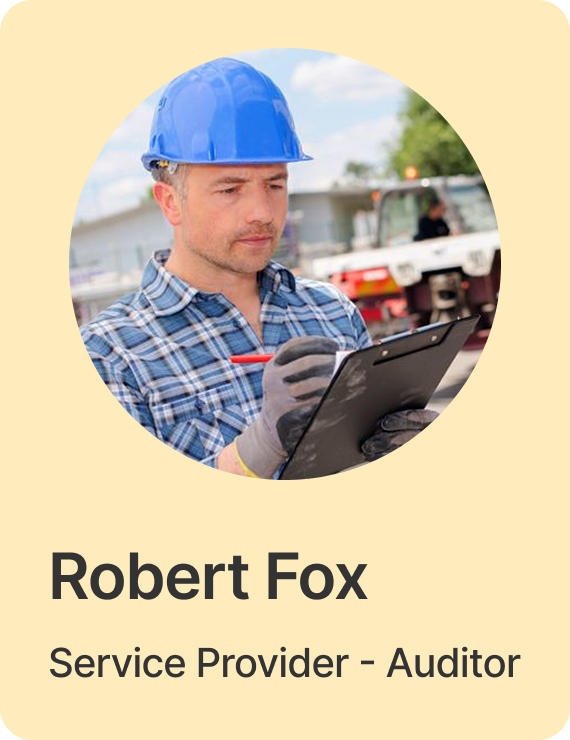
- Robert Fox
Service Provider – Auditor
Needs to create an NHVR GO account, setup business account and register to become an authorized Auditor within the National Heavy Vehicle Accreditation Scheme. - Jane James
Regulator
Needs to review and process the registration application

Wireframes
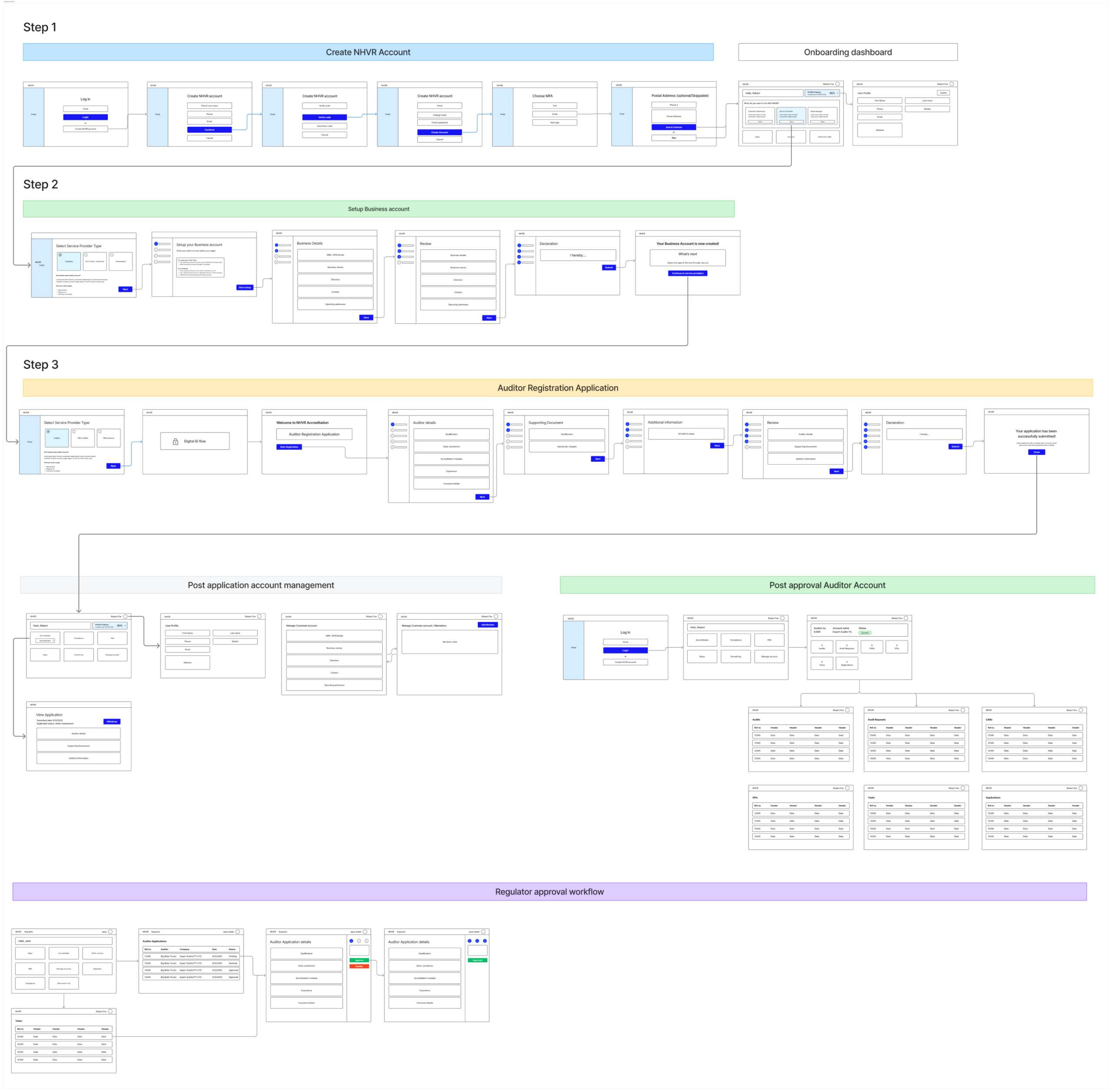
Once the journey was worked out at ahigh level I needed to wireframe the flow to work out what screens would be required and where were the potential drop-offs and jump back in points.
Review & Refinement
I used the low-fidelity wireframes to review with stakeholders and the technical team to ensure it aligned with their workflow and worked within any technical limitations.
Onboarding UI screens
The UI was built with Figma, using the design system allowed me to quickly create each screen and maintain a consistent UI across 25+ screens as well as to build a prototype that I could use to test with stakeholders and demonstrate the flow to the technical team (Tech lead, Engineers & QA).
A Guided Journey
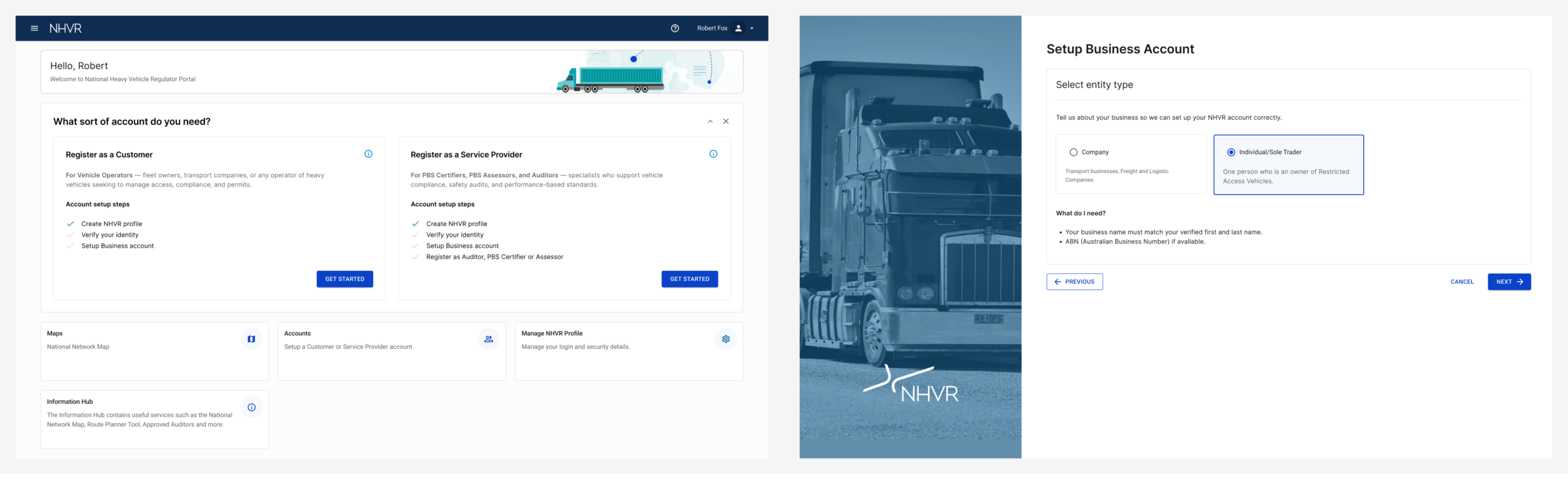
My approach was to create screens at the end of each of the 3 steps of the account setup process to give the user informed choices as to what they should do next.
Example: Step 1
The Regulator Approval Workflow
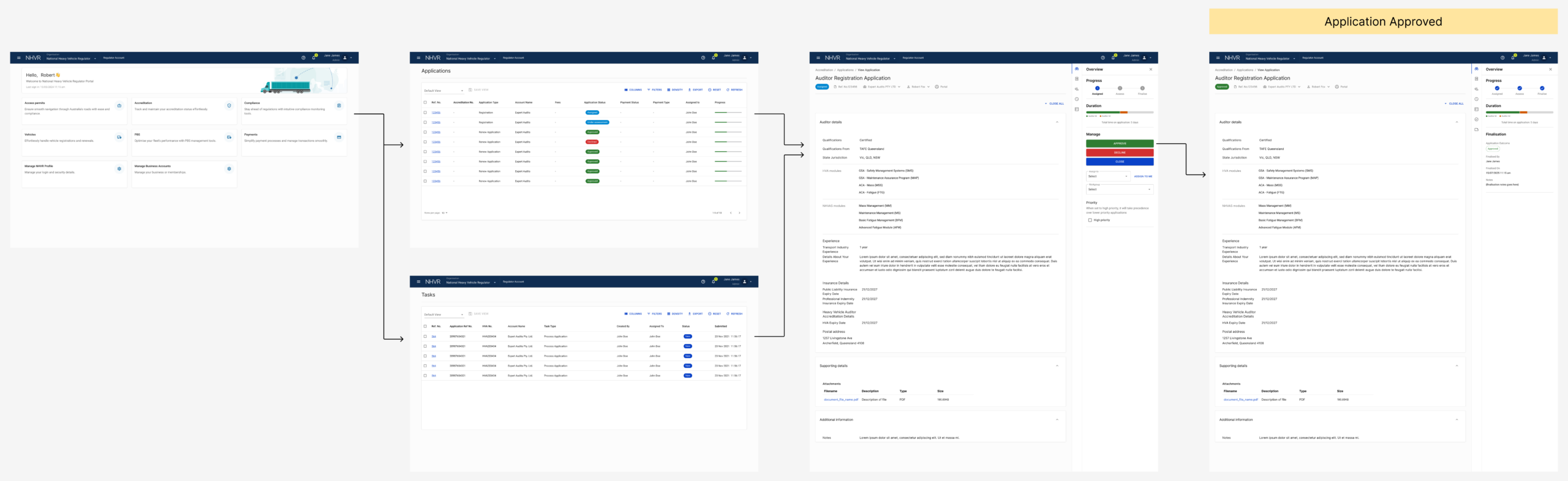
Once the auditor has submitted the auditor application the regulator’s administrator needed to process the application and approve or decline their registration.
Auditor Dashboard
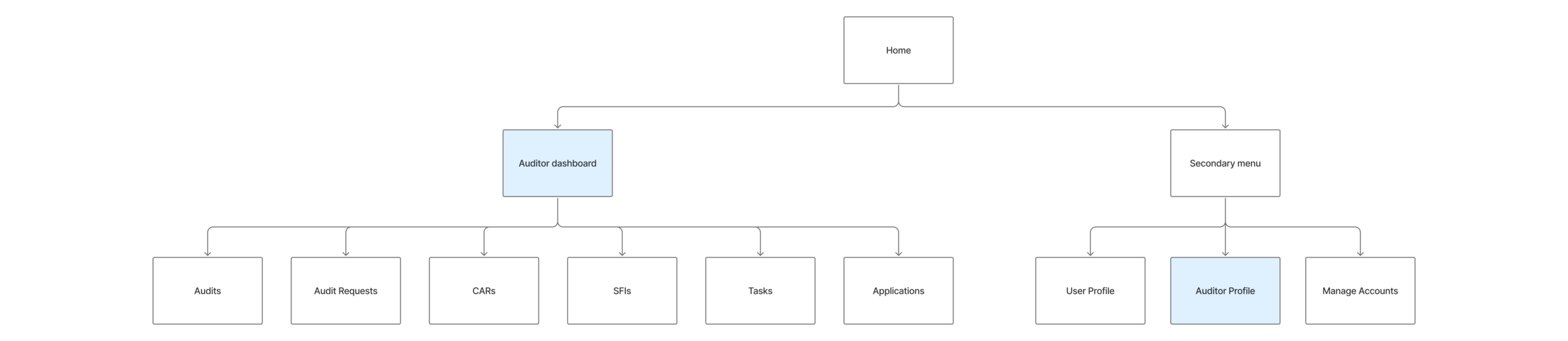
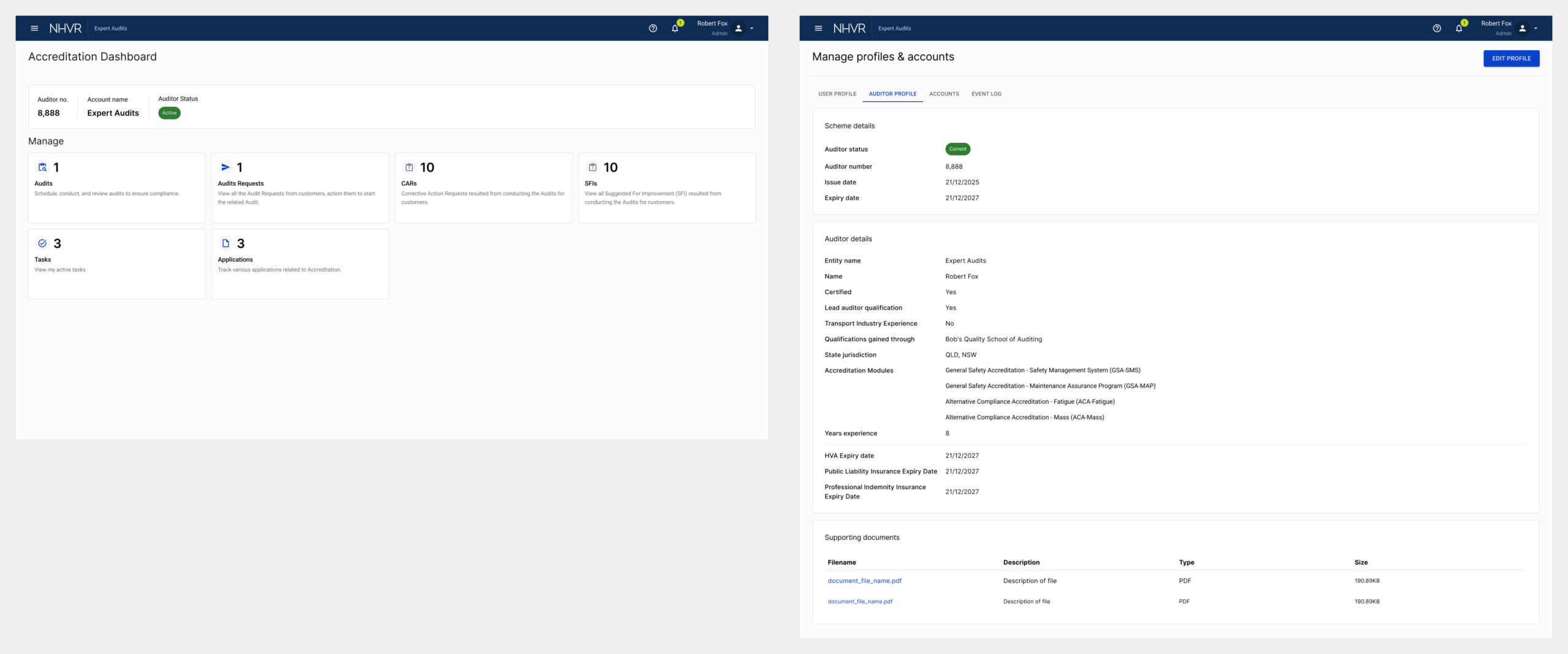
Once the Auditor Registration Application has been approved by the Regulator the Auditor gains access to their Auditor dashboard, the dashboard ties together all the functions they require to conduct audits such as:
- Track their registration status and renewal dates
- Digital Audits
- Receive audit requests from vehicle operators
- CARs: Corrective Actions Requests for operators
- OFIs: Opportunities for Improvement for operators
- Tasks
- Applications: View their application history
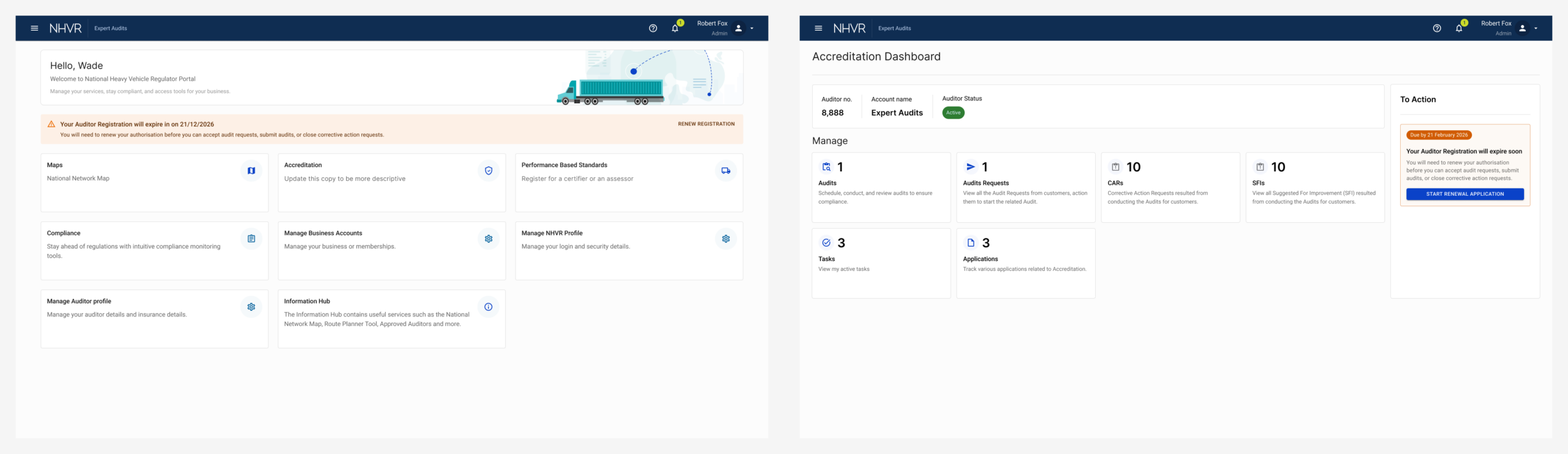
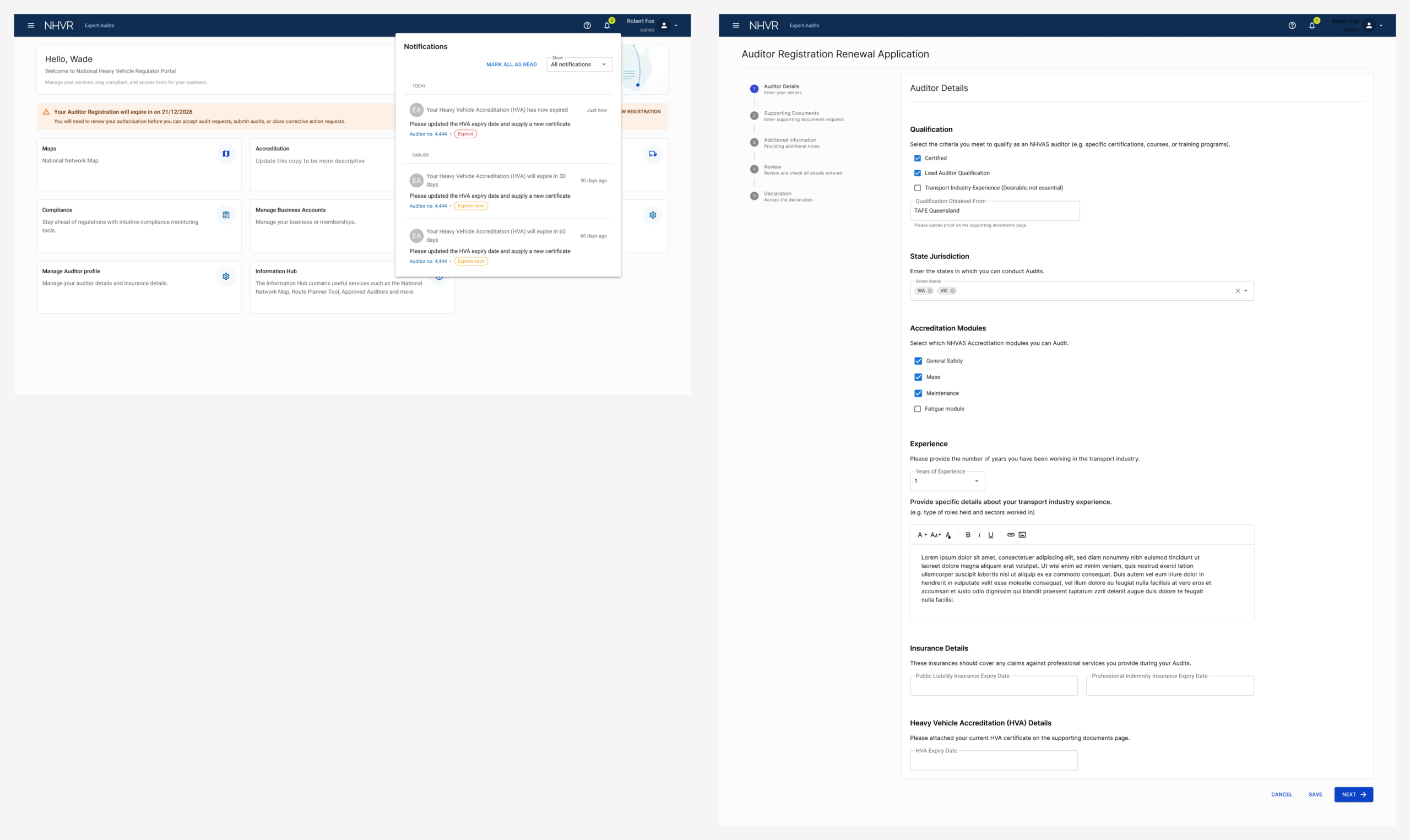
Auditors are required to keep their information up-to-date including Public Liability Insurance, Professional Indemnity Insurance and HVA Accreditation expiry dates, this was crucial in keeping their status active, if any of these dates expire their registration is suspended.
We needed an Auditor profile screen to allow the Auditor to maintain this crucial information themselves.
Alerts & NotificationsAuditors are required to keep insurance and accreditation details update to or their registration will be suspended. The keep them on top of them I created alerts banners and notifications to let them know ahead of time that they need to renew crucial dates on their Auditor profile.
Release and Outcome
These features are currently in development and scheduled to be released as part of the new Heavy Vehicle National Law reform on 1st July 2026.